For political campaigns
Most of the activity on a campaign website happens when nobody is in the office. Alma is a chatbot on your .org or .com site that screens volunteers, answers questions about the candidate's positions, records event RSVPs, asks voter ID questions (to learn which visitors support your candidate), and signs up supporters while your field director is asleep and your finance director is on a call. It is built for campaigns, advocacy nonprofits, PACs, ballot-measure committees, and party committees.
Built for campaigns PACs advocacy nonprofits ballot measures party committees issue advocacy
A state-house challenger, six months out
Canvassers send people to the website to sign up as volunteers. Every mailer asks readers to donate on the site, and the events page lists Saturday's rally. By Tuesday night the website is handling more requests than the staff, and most visitors who are ready to act arrive between 9pm and midnight, when the field director is asleep and nobody is watching the inbox.
/A · AFTER-HOURS VISITORS
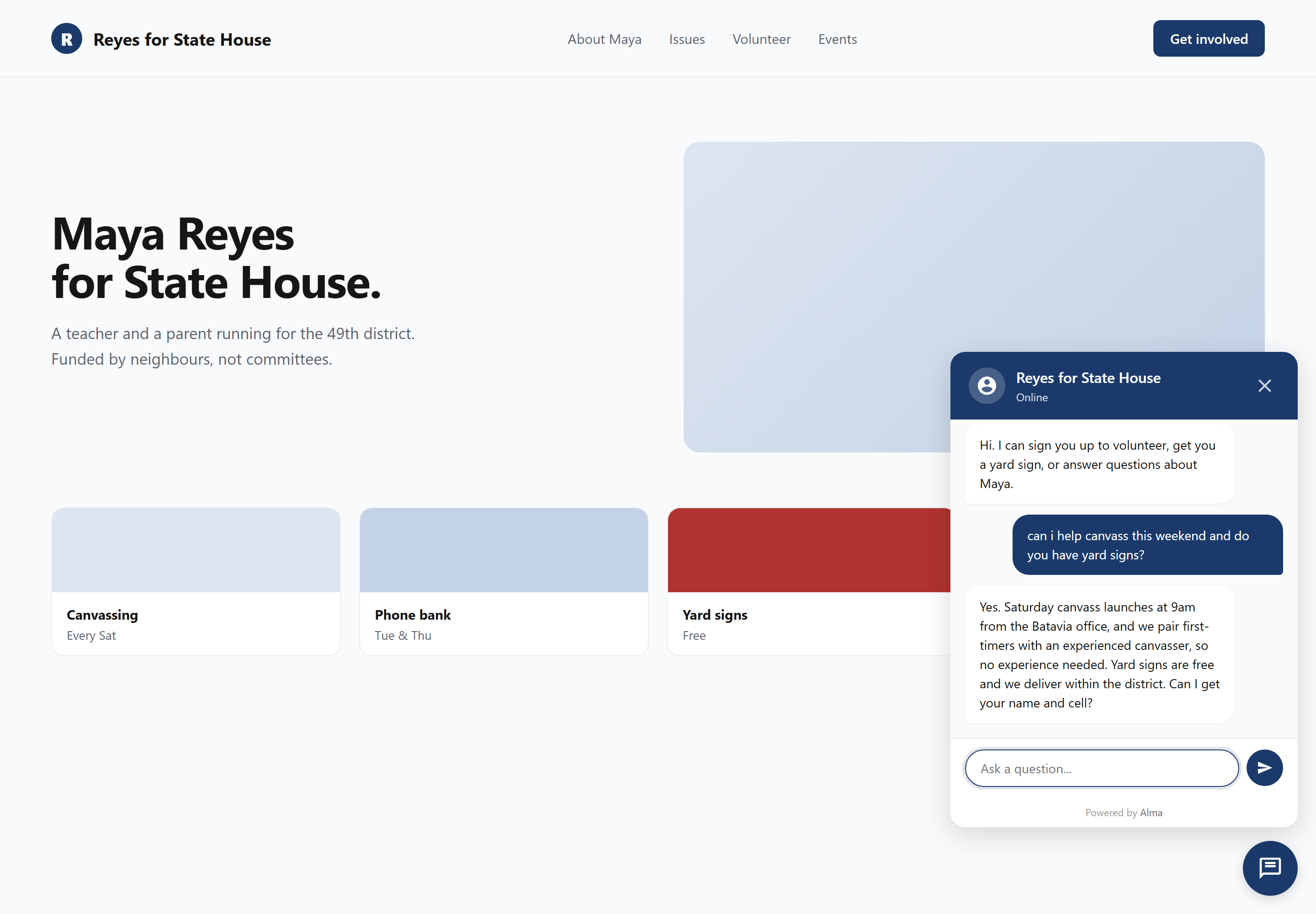
A volunteer who clicks "Get Involved" at 9:47pm wants to know what they would actually be doing. A donor on the issues page wants a clear answer on housing before clicking the donate button. A visitor on the events page wants to know whether Saturday's rally has parking. No staff member is available to answer them at that hour, but Alma is on the page to ask the right screening questions and record their contact details.
Choose the Volunteer Signup template, add your candidate name, election date, and issue list, and paste the widget (the chat window that appears on your website) on your campaign site. The first volunteer could sign up tonight.
Five ways campaigns run Alma
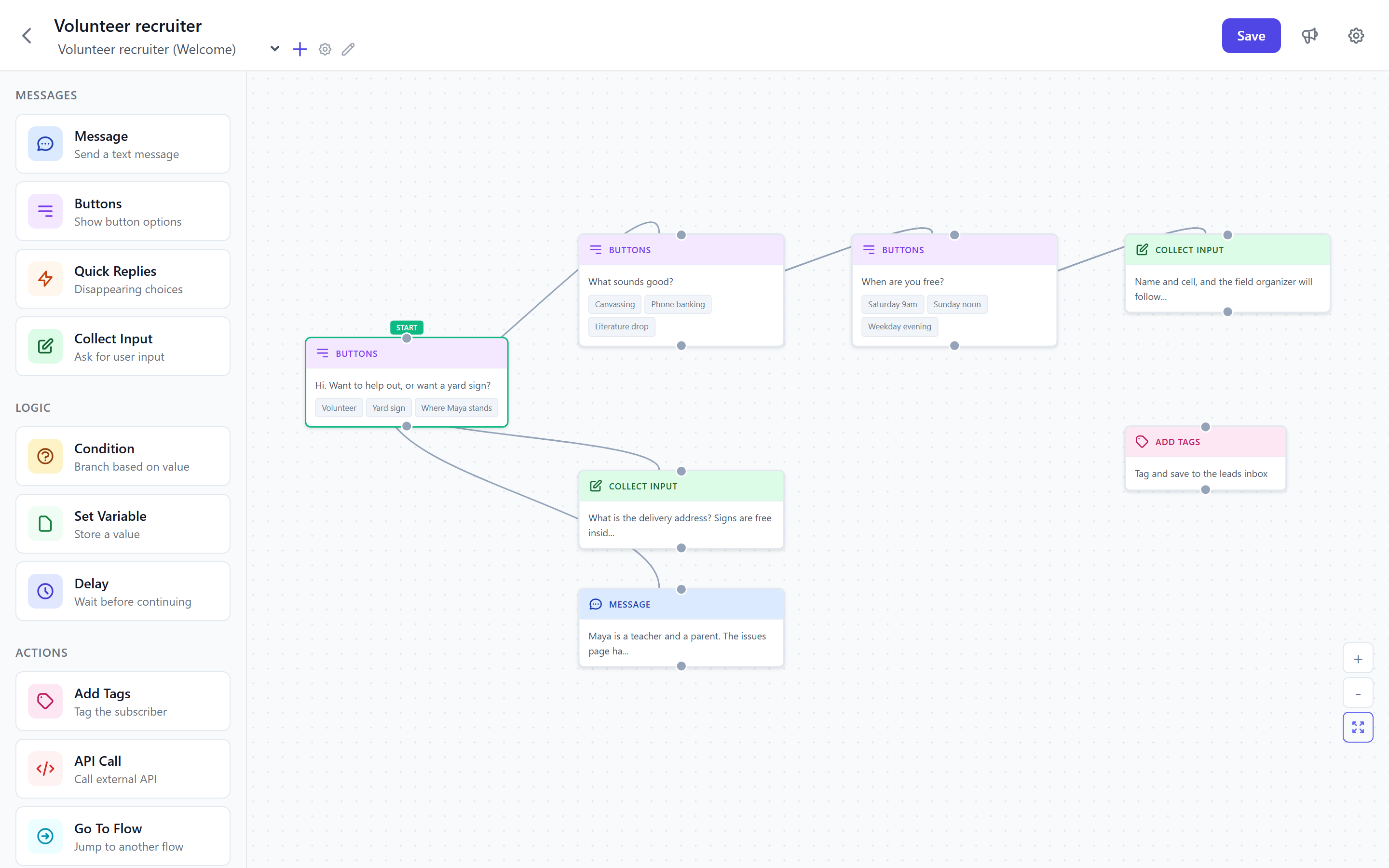
Each of these is a pre-built starting flow (a set of questions the bot asks in order) in the Political Campaigns category. Choose one, then edit your candidate name, issue positions, event list, and districts. After you add the widget to your site, the flow screens each visitor, records their details, and sends them to the right person on your team.
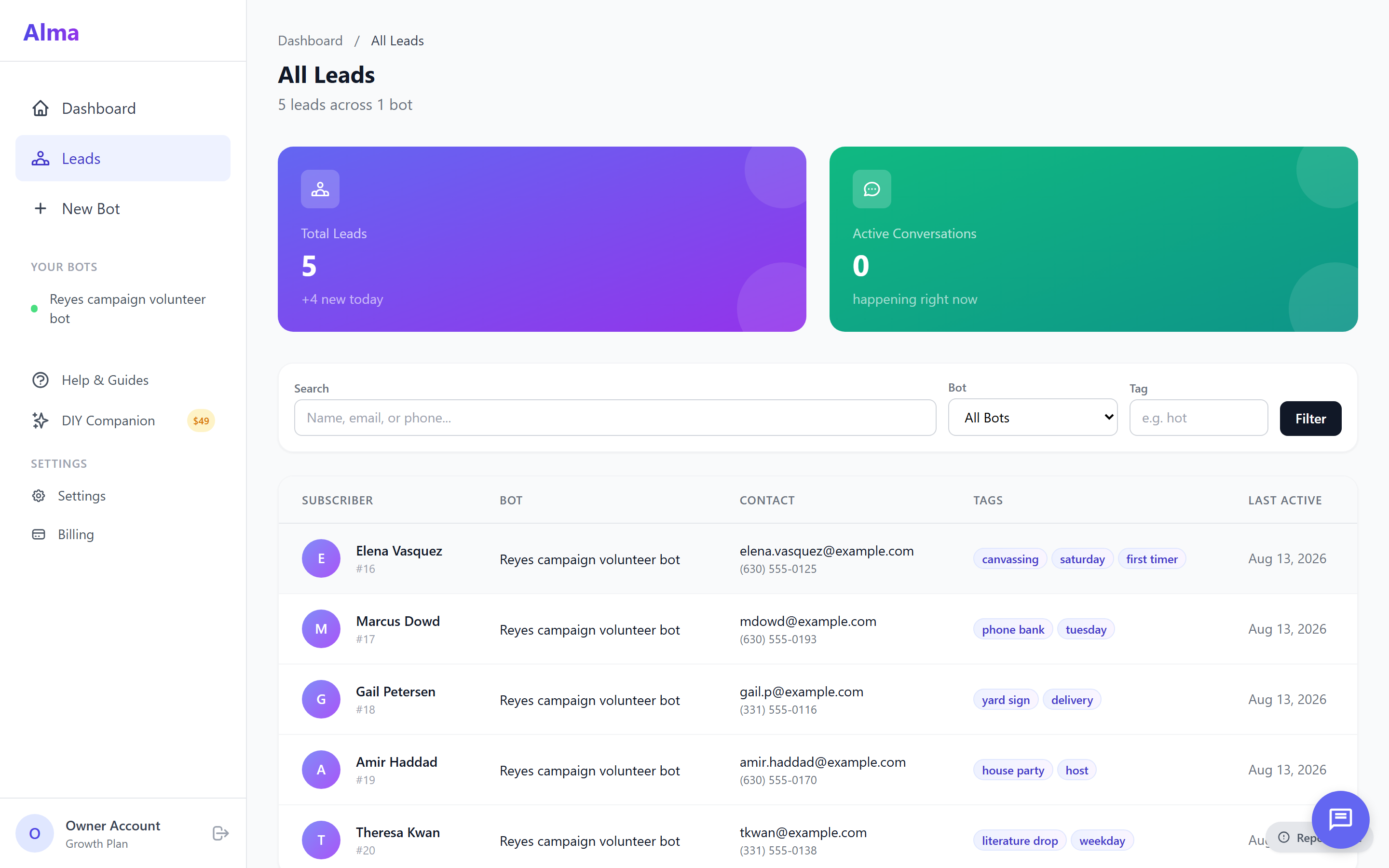
Records issue interest, availability (weekends, weeknights, election week), preferred role (door-knocking, phone-banking, or data entry), and contact information. Each signup is emailed to the volunteer dispatcher, and the most promising signups also send a hot-lead email.
→ Email · hot-lead email
A donor may ask "what's the candidate's position on X?" or "where do you stand on Y?" The bot answers from a list of questions and answers that you set up, and it records contact details for follow-up if the donor wants to talk to the finance director. It then passes the donor to your fundraising platform.
→ Email + CampaignCNX+ SMS sequence
For rallies, town halls, debate watch parties, and fundraisers, the bot records party size, dietary preferences for sit-down events, and ticket level for fundraisers (the ticket purchase itself happens on your fundraising platform). A reminder text message goes out 24 hours before the event.
→ Email · CampaignCNX+ reminder
Records each visitor's top issue, how likely they are to support the candidate, and their precinct. These website answers add to what your canvassers collect at the door, so persuadable visitors (people who have not yet decided) are in your voter ID file before the field team reaches their block.
→ Email · CoreCNX contact
For advocacy nonprofits and ballot-measure committees, the bot collects each supporter's contact details and interest and asks for permission (opt-in) to send follow-up text messages. It then directs supporters to your next request, such as commenting on a proposed rule, calling a representative, or signing a pledge.
→ Zapier or webhook to your voter file or CRM
Example Alma conversations for campaigns
Campaign · Volunteer signup
Campaign · Issues page
Campaign · Events page
Campaign · Voter ID
/B · POLITICAL CAMPAIGN TEMPLATES
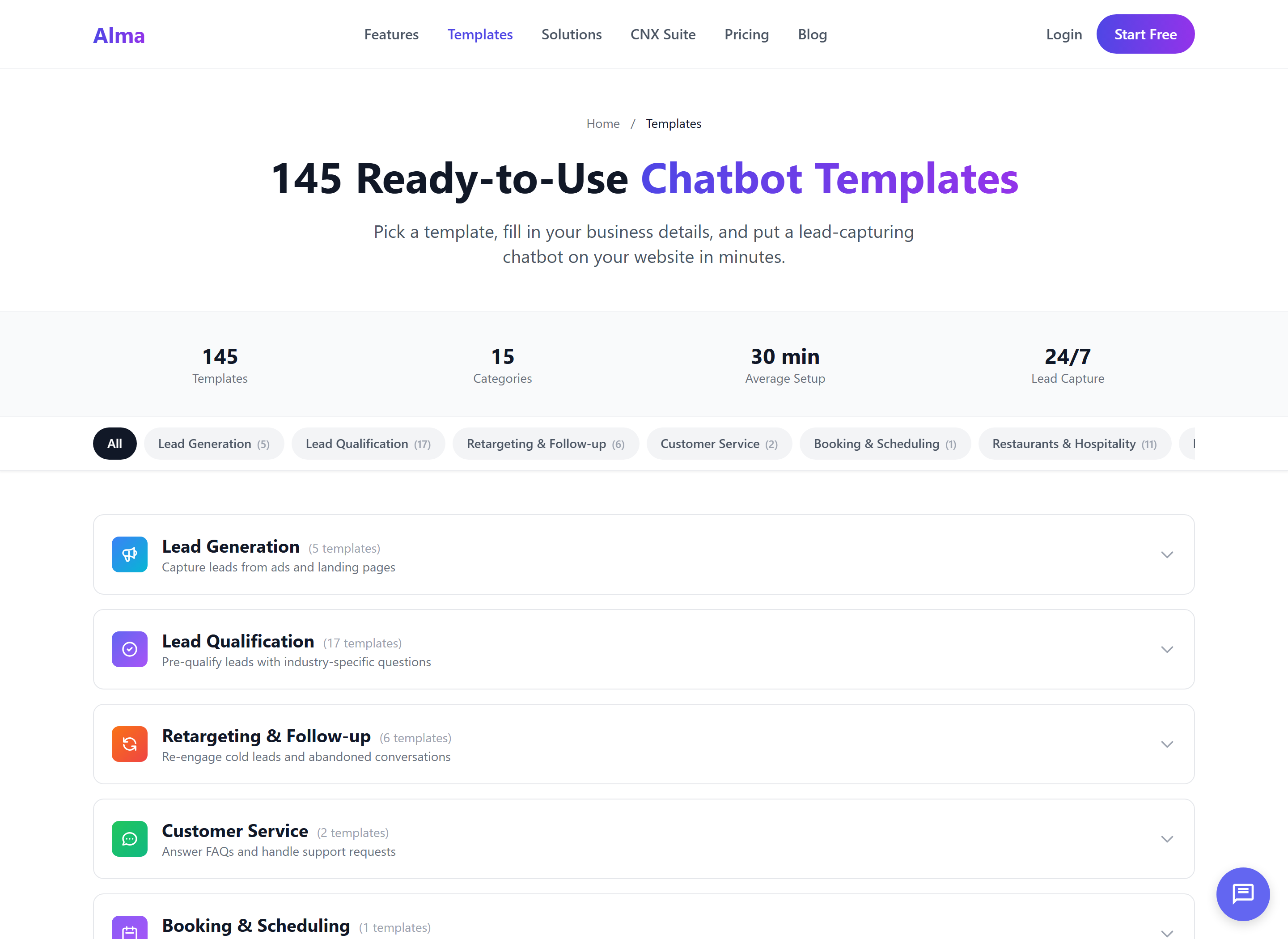
The Political Campaigns category includes ten starter flows, one for each type of conversation a campaign website needs to handle. Choose the closest match and edit your candidate name, issue positions, event details, districts, and voter-information links. Then paste the widget on your site. Each flow is designed around the way a campaign field team works.
There are 10 political-campaign templates in the templates/political/ category. Each one is a starting flow: you edit the candidate name, issue positions, event details, districts, and voter-information links, then publish.
Most campaigns are live and signing up volunteers within an hour. The questions are already written by people who manage campaign websites.
The CNX Suite, for political teams
A campaign like Madison Chen for State Senate may use all four CNX Suite products together: Alma as the website chatbot, Beacon for door-to-door canvassing, CampaignCNX+ for texting, and CoreCNX (the suite's contact database, or CRM) for a single record of each supporter. Each product can be bought and billed on its own. Bought together as the CNX Suite, the products are billed on one subscription, and each product keeps its own account and login. The suite is for campaigns that want all four products to share data. Using Alma on its own is also fine. Most campaigns start with Alma and add the other products as their program grows.
/C · CROSS-PRODUCT FLOW
A volunteer who completes the Alma conversation on Tuesday night should not be asked the same questions again when a Beacon canvasser knocks on her door on Saturday. The suite keeps every contact in one record. Alma captures the supporter on the website, CampaignCNX+ follows up by text message, Beacon records the door visit, and CoreCNX shows all of it in a single timeline.
From sign-up to first volunteer
Each template asks the questions a working field organizer already asks: name, ZIP code, what the volunteer wants to do (knock doors, make phone calls, enter data, or host an event), and availability. Most campaigns start with the Volunteer Signup, Event RSVP, and Donor Inquiry flows. You edit the wording, add your candidate's details, and paste the snippet on your site.
/01
Choose Volunteer Signup, Event RSVP, Donation Nudge, Voter Registration Helper, or Campaign FAQ, then click "Use this." The flow loads with proven questions.
/02
Enter the candidate name, election date, district, issue positions, event list, and links to ActBlue, WinRed, or your registration-check page. Then edit the wording to match your campaign's voice. This takes 20 minutes at most.
/03
Add one line of JavaScript code to your campaign site, whether it runs on WordPress, Squarespace, Webflow, NationBuilder, or a custom build. The widget is live as soon as the page reloads.
/04
Each volunteer signup is emailed to the dispatcher, and the most promising signups also send a hot-lead email so they are followed up first. Donor questions go to the finance team, and RSVPs are added to the CampaignCNX+ reminder list.
The 14-day free trial does not require a credit card. Setup consists of the Volunteer Signup template, your candidate name, and the widget on your campaign site.
The scope of Alma
Alma is a tool for building chatbot flows that run in a widget on your campaign website. It is not a voter-file system, not a fundraising platform built for compliance, and not an FEC-reporting tool. Your voter file stays in the voter-file or CRM system your campaign already uses, such as NationBuilder. Fundraising compliance is handled in ActBlue, WinRed, or Anedot. Alma records the contact and what the person wants, and your other systems handle the regulated work.
Captured supporters are sent into your voter file or CRM through Zapier or, on the Agency plan and up, a webhook (an automatic message Alma sends to another system). Your team sets up this connection, including field mapping (matching Alma's fields to your system's fields), opt-in language, and custom-code splits. It is not a one-click setting. Campaign teams who have connected these systems before will recognize the work. Teams who have not should know in advance that it takes about an afternoon of setup to go from the first lead in Alma to leads that copy automatically into the voter file. We state this plainly so that campaigns are not surprised by it later.
Political FAQ
There is no native one-click integration. Zapier, or a webhook on the Agency plan and up, connects Alma to these systems. Alma sends the full profile it collected, and your team sets up the field mapping into your system's import tools, such as NationBuilder's people endpoint. Most campaigns finish this setup in an afternoon, and we will point you to the right documentation during onboarding.
Alma is a chatbot, not a fundraising platform. The conversation records that a donor intends to give. The donation itself, the contribution-limit check, the occupation and employer fields, and FEC reporting are all handled by your fundraising platform (ActBlue, WinRed, Anedot, or your campaign's chosen processor). Alma passes along the contact and the donor's intent. Fundraising compliance stays with the platform that processes the money.
If your bot collects phone numbers for text message follow-up, you write the opt-in (consent) language. Alma asks whatever you tell it to ask, including the TCPA consent disclosure (TCPA is the federal Telephone Consumer Protection Act): program name, message frequency, message and data rates, and how to reply STOP to cancel. The Email & SMS Signup Bot template includes a starting double opt-in setup that you can edit in your own words. Sending the texts, handling opt-outs, enforcing quiet hours, and keeping consent records are handled in CampaignCNX+ (or whichever texting platform you send the contact to). Alma records the person's request and their written consent, and your texting platform must honor that consent on every message.
Yes. The Agency tier ($199/mo) includes sub-account workspaces (separate account areas), which our team turns on when the account is set up, and each workspace's data is kept separate. You can set up one workspace per candidate, per state, or per ballot measure. State parties and federated PACs use the Agency tier to give each candidate program its own bot, dashboard, and lead inbox under one main account. The Agency tier includes 20 active bots and 50,000 subscribers.
You write the bot's messages, so the bot uses whatever language you set up. You can run the volunteer-signup flow in Spanish for one candidate and in English for another, with both bots in the same workspace. Switching languages inside one bot (the same flow in a different language, based on the visitor's answers) is planned for a future release. Today each bot uses one language.
Most campaigns put it on the Get Involved, Issues, and Events pages, plus the homepage, because that is where most 9pm visitors go. Installation is one line of JavaScript, so if you only want the bot on a few pages, paste the snippet on those pages instead of the sitewide template. It works on WordPress, Squarespace, Webflow, NationBuilder, and custom-built sites.
That is handled by Beacon, the door-to-door canvassing app in the suite. Alma saves captured contacts to CoreCNX, which can update Beacon's contact record. A canvasser visiting someone who chatted with Alma at 11pm can then see that conversation history before knocking at 2pm on Saturday. The supporter has been in touch twice, and both contacts appear on one record.
Data is kept separate for each workspace, and it is not mixed with data from any other campaign or organization. It is encrypted at rest (while stored), and standard data export and deletion are available on request. If your campaign is bound by a state attorney general's requirements, a consent decree, or other regulation, please talk to sales about the regulated setup. We have worked with campaigns under specific consent decrees before and can configure Alma to fit.
Yes. The Growth tier ($79/mo) includes 5 active bots, and the Agency tier includes 20. For example, you could run a Volunteer Signup bot on the main candidate site, a Donation Nudge bot on the donor portal, an Event RSVP bot on the events microsite, and an Issue Deep-Dive bot on the policy hub. Each bot has its own dashboard, leads inbox, and conversation log.
Start free
Sign up, choose the Volunteer Signup or Event RSVP template, add your candidate's details, and paste the widget on your campaign site. The bot then handles requests when no staff member is available, such as screening a volunteer at 11pm, answering a donor's question at 7am, or taking a rally RSVP at 6pm on Saturday.