For fitness & wellness
Alma is built for boutique studios, yoga and pilates rooms, neighborhood gyms, wellness centers, and personal trainers. It is a friendly chatbot on your studio website that answers questions about your schedule, records intro-pass signups, and handles membership inquiries while you are teaching. For example, a visitor can book Saturday's 9am class at 11pm the night before.
Built for studios that depend on filling each class. yoga pilates boutique fitness gyms personal training wellness centers
Illustrative example · 30 days in
Mindful Yoga & Wellness is a fictional studio we use as an example, and its figures are illustrative, not customer results. In the example, Riley runs it as a small studio whose income depends on how full each class is. The Class Booker bot runs on mindfulyoga.studio and asks new visitors what they are looking for: vinyasa, restorative, hot, or a beginner intro. It offers the right time slot (Tuesday 6pm or Saturday 10am) and completes the booking by collecting a phone number for the 24-hour reminder text. The average conversation takes six messages, and eighty-two percent of conversations are completed.
/A · THE EXAMPLE FLOW
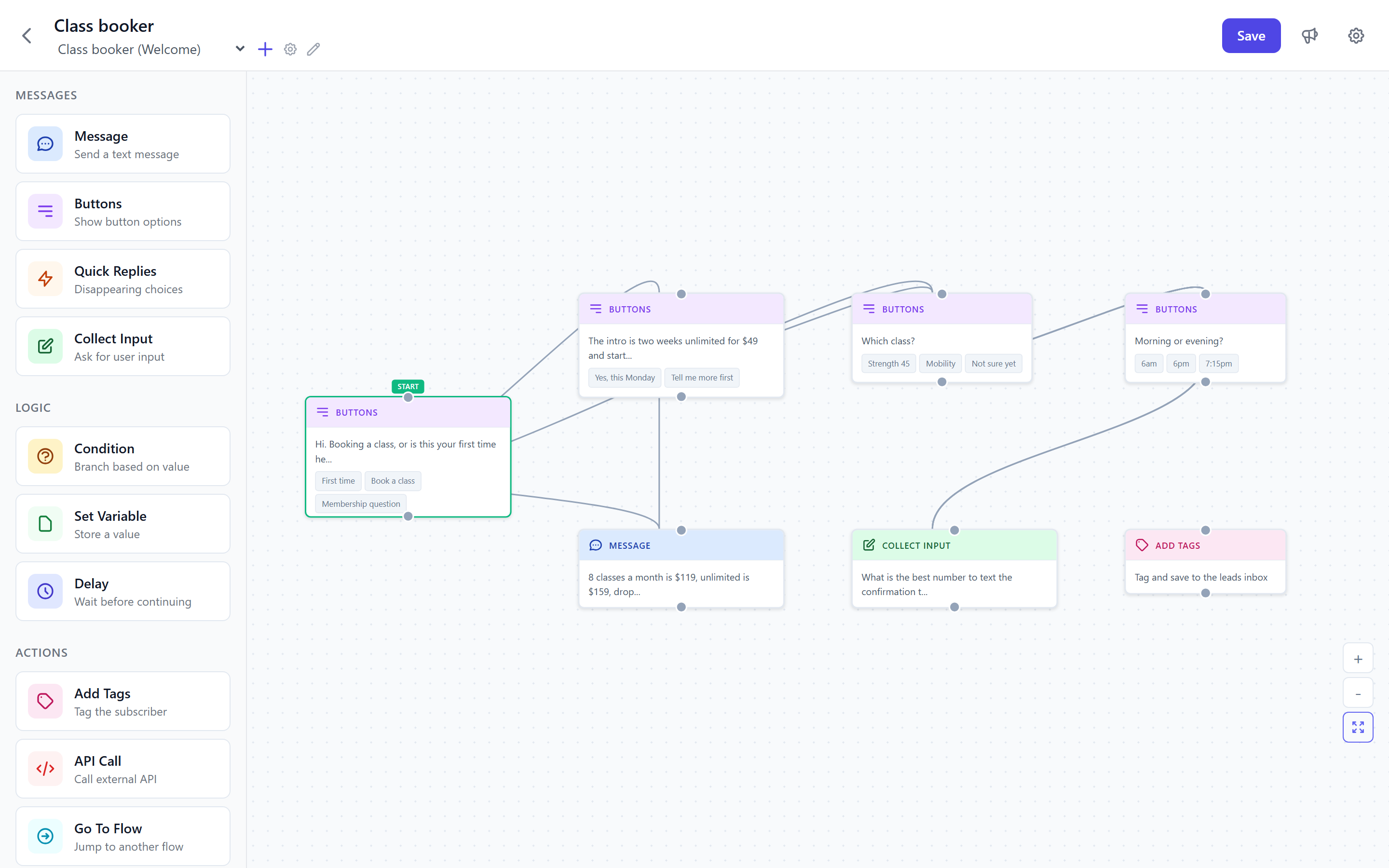
Conversations about wellness classes tend to be short, and they often end in a booking. The Class Booker does not try to sell. It asks about the type of class, the skill level, the preferred time, and a phone number for the reminder. The flow (the series of questions the bot asks) is written to sound like the studio's front-desk person rather than a form, which makes visitors more likely to finish it.
Booking captured · 11:08pm Friday
Name
Sarah Chen
Class
Vinyasa Flow
Time slot
Sat 9:00am
Skill level
Beginner
Source
Website widget
Lead score
90 · booked
By the time Riley opened the laptop on Saturday morning, Sarah had already received the 24-hour reminder text and was on the schedule. She attended the class and came back for another one on Tuesday.
Choose the Class Booking template, add your class types and schedule, and paste the widget (the chat window that appears on your website) onto your studio site. Your first booking could arrive tonight.
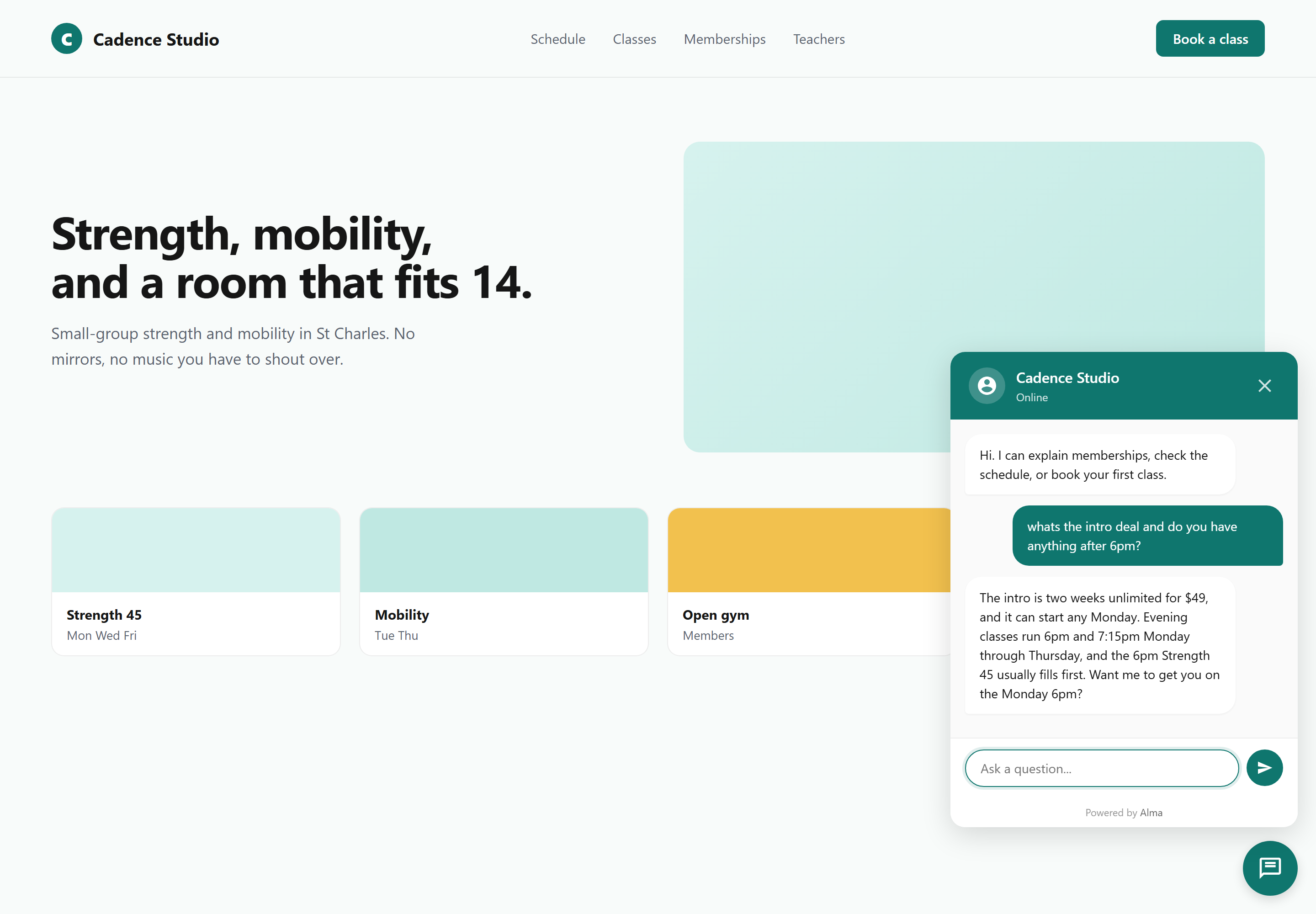
Example Alma conversations for fitness studios
Mindful Yoga · Booking
Mindful Yoga · Intro pass
Mindful Yoga · Membership
Strong Body PT · Intake
/B · FITNESS & WELLNESS TEMPLATES
Alma includes 145 templates across 15 categories. Twelve of them are for fitness and wellness, covering class bookings, intro passes, membership inquiries, and personal training intakes. They also cover tasks that are easy to overlook, such as membership freezes and post-visit reviews. Choose the closest template, edit the class types and schedule, and paste the snippet on your site.
There are 12 fitness & wellness templates in the fitness_wellness/ category, plus the general Appointment Scheduler in the booking/ category and six follow-up flows, such as Win-Back Campaign for lapsed members, in the retargeting/ category. Together, that is 19 starter flows you can adapt for a studio with several locations.
Most studio owners are live and taking bookings within an hour. The questions are already written by people who manage yoga, pilates, and gym bookings for a living.
Where the booking actually lands
Most studios already use a booking platform such as Mindbody, Mariana Tek, Wellness Living, Glofox, Pike13, ClubReady, Acuity, or ClassPass. Alma does not replace it. Alma holds the conversation with a visitor before they leave your site, finds out what they want, and sends the booking to the platform that holds the class spot.
/C · BOOKING SYSTEM HANDOFF
None of the major studio platforms has a native Alma connection today, and we will not suggest otherwise. Instead, Alma sends the booking to Zapier or, on the Agency plan and up, sends a webhook (an automatic message to another system) to Make or n8n. These services pass information between apps and write the booking into Mindbody, Mariana Tek, Wellness Living, Glofox or Pike13 the same way your existing forms do. The bot collects the visitor's details and finds out what they want, and your platform holds the class spot. CampaignCNX+ sends the 24-hour reminder text, which is the most effective step you can take to reduce no-shows.
From sign-up to first booking
Each template asks the questions a working studio owner already asks: class level, preferred time, first class or returning, and intro-pass eligibility. Most studios start with the Class Booking and Intro Pass flows. You edit the wording, add your schedule, and paste the snippet on your Squarespace or Webflow site.
/01
Choose Class Booking, Free Trial / Guest Pass, Membership Options, or Personal Training, then click "Use this." The flow loads with proven questions and a sensible default schedule.
/02
Replace the sample class types, schedule, and intro-offer wording with your own. Add or remove steps as needed, and add your studio address, parking note, and what-to-bring list.
/03
Add one line of JavaScript code to your Squarespace, Webflow, or WordPress site. The widget goes live as soon as the page reloads, and it works on every studio site builder we have tested.
/04
The front desk receives each booking by email. Zapier writes the booking into Mindbody or Mariana Tek, and CampaignCNX+ sends the 24-hour reminder.
The 14-day free trial does not require a credit card. Setup consists of the Class Booking Bot template, your schedule, and the widget on your studio site.
Fitness & wellness FAQ
Not natively, and we will not claim otherwise. The connection runs through Zapier (or, on the Agency plan and up, a webhook into Make), which writes the booking into Mindbody, Mariana Tek, Wellness Living, Glofox, Pike13, ClubReady or Acuity the same way your existing web forms do. Most studio owners have this set up in 20 minutes.
It can do both, depending on how you set it up. By default, Alma records the booking request (class, time slot, skill level, name, phone) and sends it to your booking platform through Zapier or, on the Agency plan and up, a webhook. Your booking platform holds the class spot. If you want a true two-way "is the slot still open" check, that check runs through your booking platform's API (its connection for outside software) on the Zapier side.
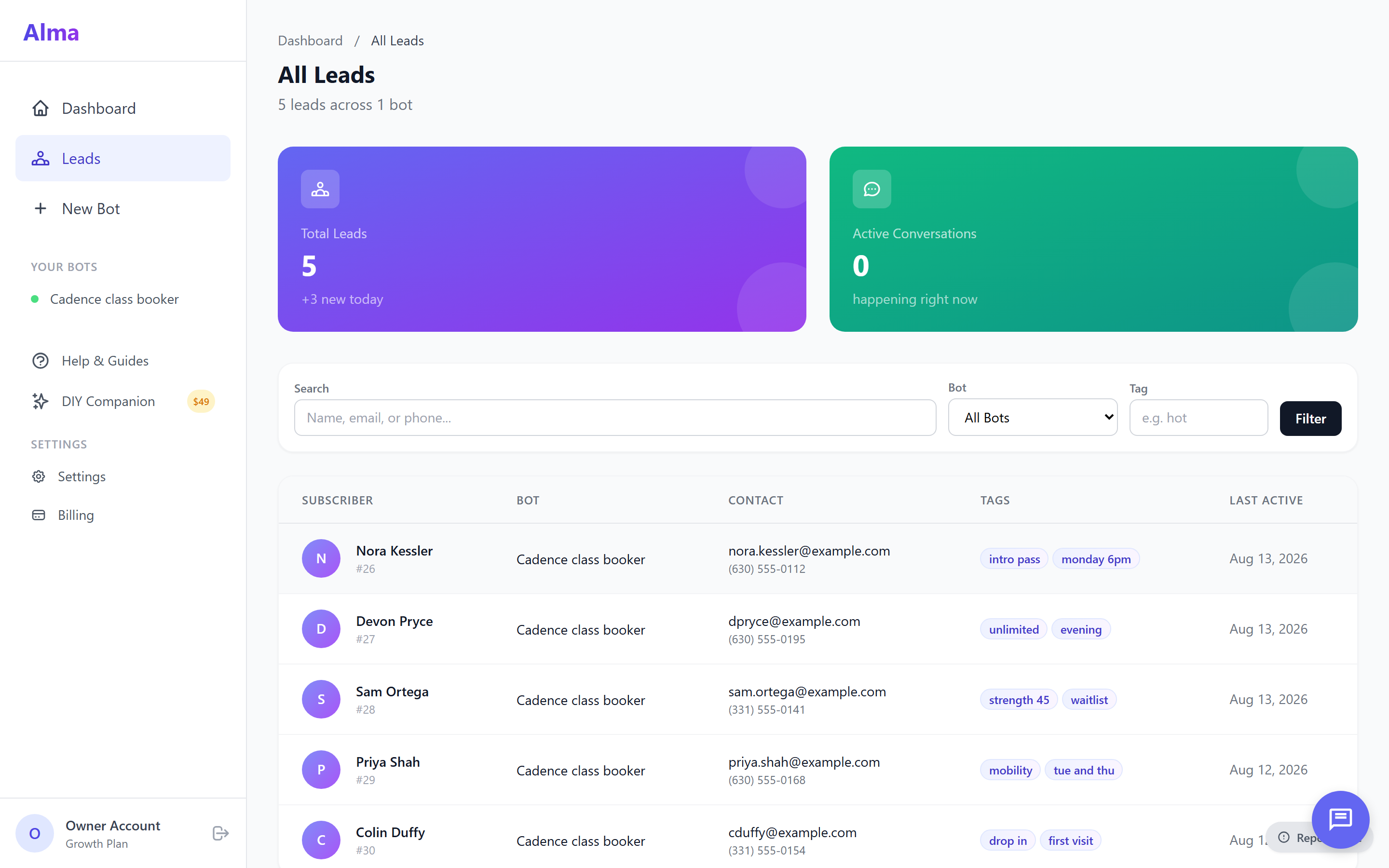
The Intro Pass template records the new student and adds them to CoreCNX as a new contact with an intro tag. CampaignCNX+ then sends a series of welcome text messages: a class reminder, a what-to-bring note, a "how was it?" follow-up two days later, and a membership offer five days after that. When the student completes the Membership Options bot a few weeks later, CoreCNX shows the whole history in one timeline.
Alma can include an acknowledgment step in the flow ("I've read and agree to the studio waiver") and record the time it was accepted. For a signed electronic waiver, send the lead to your existing e-signature tool (DocuSign, HelloSign, or Mindbody's built-in waiver) through Zapier, or a webhook on the Agency plan and up, as soon as the booking flow ends. Alma does not store signed waivers natively.
Yes. You can set the bubble color, the text color, the bot's name, the greeting, and the position of the chat button on the page, so the widget looks like part of your studio site rather than an add-on. On phones the widget opens full screen, which matters because most late-night class bookings come from phones.
Yes, on the Growth tier ($79/mo) and above. Growth includes 5 active bots, and Agency includes 20. Most studios run a Class Booking bot, a Free Trial / Guest Pass bot, a Membership Options bot, and a Personal Training bot, so four bots cover most setups. The Starter tier ($29/mo) supports a single bot if you only need the Class Booker.
Multi-location studios use the Agency tier ($199/mo), which has one parent agency account and one workspace (a separate account area) for each location. Our team turns the workspaces on when the account is set up. Each location has its own bots, leads, and settings, and conversations are kept separate for each workspace. The parent account sees combined reporting, while each studio manager sees only their own location.
Setup takes under 30 minutes for most studio owners. The Class Booking Bot template loads with the right questions already written, so you edit class names, time slots, and your intro-offer wording instead of building from scratch. After that, you paste the snippet on Squarespace, Webflow, or WordPress and save. Onboarding with a real person is included on every tier.
Start free
Sign up, choose the Class Booking Bot template, add your schedule, and paste the widget on your site. Visitors can then book Saturday's 9am class while the studio is closed, and Monday's intro-pass inquiries will be waiting in the queue before the front desk opens.