
Search "knowledge base chatbot" and almost everything you find describes the same machine: a pipeline that ingests your documentation, splits it into chunks, converts those chunks into embeddings, stores them in a vector database, and retrieves the closest matches when somebody asks a question.
That machine is real, and if you have ten thousand support articles it is the right one. If you run a dental practice, a law office, or a home services company, you almost certainly do not have ten thousand support articles. You have a page of pricing, a page of policies, a list of what you do and do not do, and about forty questions customers ask you over and over.
For that, the pipeline is the wrong tool. This guide covers what a knowledge base chatbot actually is, the two architectures available, how to tell which one your business needs, and what separates a bot that answers well from one that confidently makes things up.
What a knowledge base chatbot actually is
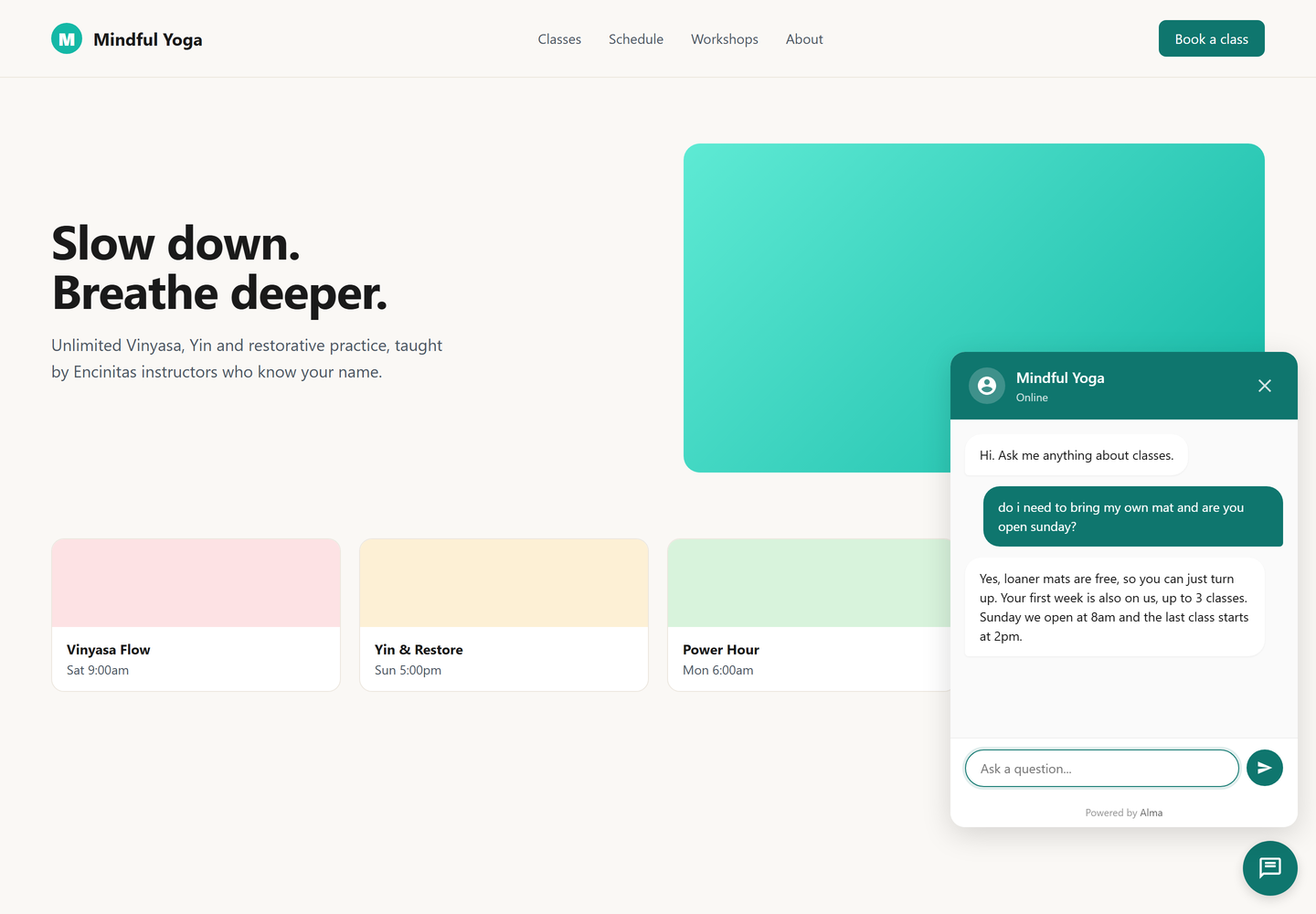
A knowledge base chatbot is a chatbot that answers from information you gave it, rather than from general training or a script you wrote in advance.
That last part is the whole distinction. A scripted bot can only handle the paths you built. Ask it something you did not anticipate and it says "I did not understand that" or dumps you into a menu. A knowledge base chatbot takes the question as asked, looks at what it knows about your business, and answers in its own words.
The important consequence is not that it feels smarter. It is that it covers the long tail. You will never build a scripted path for "do you take my insurance if I am out of state" or "what happens if I need to reschedule twice". Those questions are individually rare and collectively constant, and they are the ones that make somebody leave your site to phone a competitor who picked up.
The two architectures, honestly compared
There are two ways to give a chatbot your knowledge. Most articles only describe the first, because the first is what enterprise vendors sell.
Retrieval, also called RAG
You upload documents. The system chunks them, embeds them, and stores the vectors. At question time it embeds the question, finds the nearest chunks, and passes those to a language model to write the answer.
Strengths: it scales to a corpus no prompt could hold, it can cite the source document, and it handles genuinely large libraries.
Costs nobody mentions in the sales deck: you now operate a pipeline. Documents go stale and the index has to be rebuilt. Chunking splits a policy across two chunks and the bot answers with half of it. Retrieval returns the wrong three chunks and the model writes a fluent answer from the wrong source, which is worse than no answer because it reads as authoritative. You are debugging a search engine, not writing content.
Prompt-loaded knowledge
You write what the bot should know into a single field. Every conversation, that text goes to the model along with the question. There is no index, no chunking, no retrieval step to go wrong.
Strengths: nothing to rebuild, edits are live the moment you save, and the model sees all of your knowledge at once rather than the three fragments a retriever guessed at. That last point matters more than it sounds. Ask "how much is a cleaning and do you take my insurance" and a retriever has to find both answers separately. A model holding the whole document answers once.
The real limit: there is a ceiling. Everything you write goes to the model on every message, so the field cannot hold a manual. This is a genuine constraint, not a soft one.
Which one you need
The honest test is the size of what you actually know, not the size of your ambition.
Alma caps its knowledge field at 50,000 characters, which is roughly 8,000 words or about sixteen pages of dense text. Before you decide that is too small, go and write down everything a customer actually needs to hear from you. Services and what each includes. Prices or the reason you do not publish them. Hours, location, parking. What you do not do, and who you refer that work to. Your cancellation policy. The dozen questions you answer every week.
This article is part of our guide to chatbot knowledge and measurement.
Most small businesses land between two and six pages. Almost nobody who does this exercise honestly comes out over sixteen.
You need retrieval when you have a genuine library: hundreds of product SKUs with distinct specifications, a decade of technical documentation, regulatory material where the exact wording of the source matters and has to be quoted. If that is you, buy a system built for it.
You do not need retrieval because your knowledge might grow later. Prompt-loaded knowledge that fits is faster to set up, cheaper to run, and easier to keep accurate than a retrieval pipeline you are not maintaining.
What good knowledge looks like
This is the part that decides whether your bot is useful, and it is the part every vendor skips because it is work you have to do rather than a feature they can sell.
Write answers, not marketing. "We pride ourselves on flexible scheduling" tells the bot nothing. "Appointments can be rescheduled up to 24 hours ahead at no charge. Inside 24 hours there is a $35 fee" gives it something to say.
Write the boundaries explicitly. The most valuable lines are often about what you do not do. "We do not service commercial properties" stops the bot inventing a yes and stops you fielding a call you were never going to win.
Use the customer's words, not your internal ones. If your team says "intake" and customers say "first appointment", write both. The model matches on meaning, but it cannot guess a term you never wrote down.
Say what to do when it does not know. Tell it to offer the contact form or the phone number rather than guessing. A bot that says "I am not sure, here is how to reach the team" is doing its job. A bot that invents an answer to sound helpful is a liability.
Keep it current. This is the failure that actually happens. Prices change and the knowledge does not, so the bot quotes last year all year. Put the review on a calendar. With prompt-loaded knowledge the fix is editing one field, which is the reason this approach survives contact with a busy owner.
Tone is worth deciding deliberately too, because the bot will sound like something whether you choose or not. That is covered in chatbot personality and tone.
What it will not do
Two honest limits, because a bot that oversells itself creates the support tickets it was meant to prevent.
It does not know anything you did not tell it. There is no crawl of your site, no import of your files. If your hours are not in the field, the bot does not know your hours.
It is not a replacement for a human on hard conversations. Complaints, refunds, anything with money or feelings attached, should reach a person quickly. The job of the bot is to handle the ninety percent that is routine so the person has time for the ten percent that is not.
Setting one up
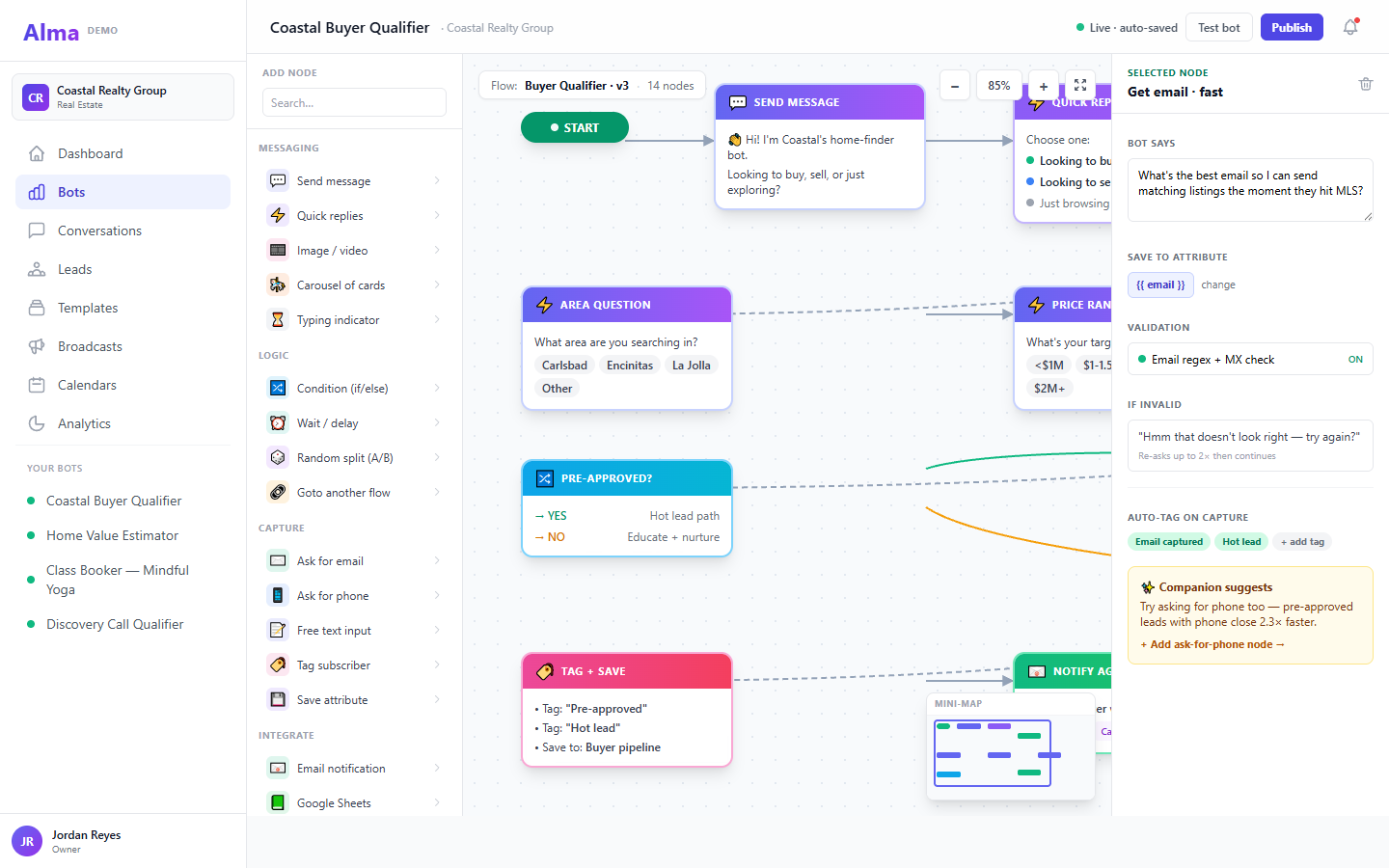
Alma does this as a done-for-you build rather than a settings screen, and that is deliberate. The hard part of a knowledge base chatbot was never the software. It is sitting down and writing the answers, and that is the step most self-serve tools quietly leave to you before you abandon the trial with an empty text box open.
- You fill in an intake. Services, hours, pricing or why you do not publish it, where leads should go, and the questions customers actually ask. This is the knowledge, gathered as questions rather than as a blank field.
- We build the bot. The scripted flows handle your main jobs, booking, quoting, capturing a lead, because those paths should be predictable every time. Your answers become the knowledge the bot draws on for everything else.
- You review it before it goes live. This is the step worth taking seriously. Ask it your worst questions, not your easiest ones: the edge case, the thing you would rather not answer, the question you find annoying. Every fumble is a line we add.
- It goes on your site. One snippet, same as any other widget.
- We keep it current. Prices change, policies change, and stale knowledge is the way these things actually fail. Because the knowledge is one document rather than an index, an edit is live immediately, with nothing to rebuild or reprocess.
The build is a one-time white glove setup. AI answering then runs as a $25 per month add-on, quoted separately so a recurring charge is never a surprise. Flows on their own do not need it, so a bot that only books appointments costs you nothing extra. Current rates are on the pricing page.
Where it fits with everything else
A knowledge base chatbot is one job among several the same bot can do.
If your goal is deflecting repetitive questions, the neighbouring pattern is automating FAQ responses, which covers which questions are worth automating and which are a trap. If you want customers resolving things end to end without contacting anyone, that is customer self-service. If you are replacing a ticket queue rather than a phone, see modernising the help desk.
Two things worth reading before you go live. Your knowledge field will contain business information, so security and privacy is worth ten minutes. And if leads captured by the bot need to reach the system your team actually works in, see CRM integration.
Common questions
Does it get trained on my documentation?
No, and the distinction matters. Nothing is trained and no model is fine-tuned. Your knowledge is supplied to the model at the moment of the question. The practical upside is that an edit takes effect immediately rather than requiring a retraining or reindexing run.
Can I upload a PDF or point it at my website?
Not in Alma. Knowledge is text you write or paste into the field. If your content lives in a PDF today, the work is condensing it into the answers customers need, which is worth doing regardless of tooling.
What happens when it does not know?
It says so and hands off, if you told it to. That instruction belongs in your knowledge, and it is the single most valuable line in the field.
Will it make things up?
The risk is real and it is manageable. Two things reduce it to near zero in practice: knowledge that states boundaries explicitly, and an instruction to defer rather than guess. The failure mode is almost always a gap in what you wrote, not the model being creative.
How much knowledge is too much?
Alma's field holds 50,000 characters, roughly sixteen pages. If you are over that, the usual cause is pasting source material rather than writing answers. A twelve-page policy document usually condenses to a page of what customers actually ask about it.
Does this replace my scripted flows?
No. Flows handle the paths that matter, where you want the same questions in the same order every time. Answering handles everything else. Most bots that work well use both.
The short version
A knowledge base chatbot answers from what you told it. If your business fits in about sixteen pages, and most small businesses do, you do not need an ingestion pipeline or a vector database to get one. You need a well-written page of answers, an instruction about what to do when it does not know, and a habit of reading the transcripts.
The technology is the easy part. The knowledge is the work, and it is the part that decides whether the thing is any good.
Start a free trial and build the flow first. Add answering when you want it to catch the questions you did not think of.
Alma handles this side of it: templates with a knowledge base already wired.