Restaurant Chatbot Builder
Handle reservations, answer menu questions, and promote specials automatically, right on your website.
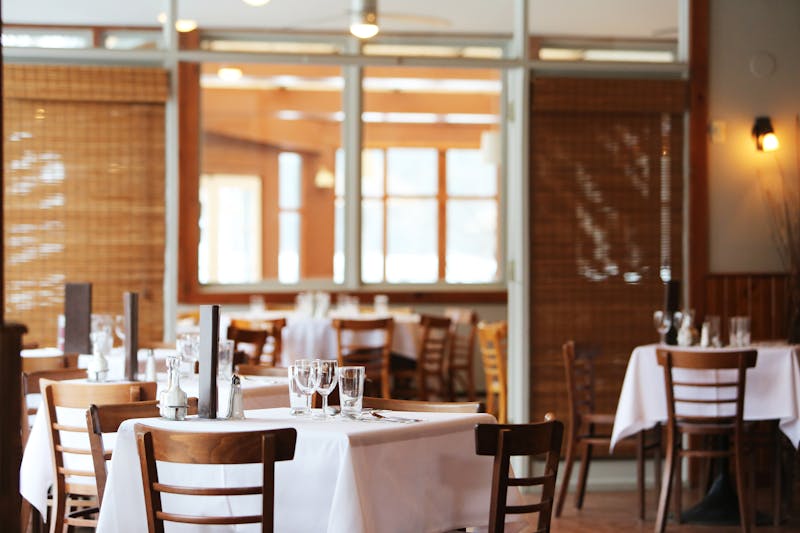
Built For Restaurant Professionals
Alma suits the way you work, whether you run the business alone or with a growing team.
Independent Restaurants
Offer guests the same 24/7 online service that large chains provide, without hiring extra staff.
Restaurant Groups
Run the same chatbot experience at every location, with the correct menu and hours for each one.
Cafes & Bakeries
Handle catering inquiries, pickup pre-order requests, and announcements of daily specials automatically.
Food Trucks & Pop-Ups
Share your schedule, take pre-order requests, and collect contact details from fans who want to hear where you will be next.
Challenges for Restaurant Businesses
These are common problems for businesses in this field, and Alma is designed to help with each one.
Phone Lines Are Always Busy
Customers can't get through during the dinner rush to make reservations or ask about the menu.
Staff Tied Up Answering Questions
Your team spends hours repeating the same information about hours, location, menu items, and dietary options.
No-Shows Hurt Revenue
Without automated confirmations and reminders, more guests miss their reservations, which lowers your revenue.
Specials Go Unnoticed
Happy hour deals and seasonal menus don't reach enough customers through traditional posts alone.
How Alma Helps Restaurant Businesses
Chatbot features designed for your industry.
Automated Reservations
Let guests book a table by giving their party size, date, time, and any special requests, without making a phone call.
Interactive Menu
Guests browse your menu by category with dietary filters, and the chatbot answers allergen questions automatically.
Reservation Reminders
Reservations booked through Alma's booking calendar get a confirmation email and reminder emails 24 hours and 1 hour before.
Review Collection
Ask guests about their visit when they open the chat, and give happy guests a link to your Google or Facebook review page.
What You Can Automate
Any conversation you have over and over can be handled by a chatbot. Here is what restaurant businesses usually automate first.
Reservation Booking
Guests book a table in the chat from your Alma booking calendar, without phone calls or third-party booking fees. To change or cancel, guests contact the restaurant.
Order Requests
Collect pickup and delivery order requests through the chatbot, with item choices and special instructions, and email each one to your team to confirm.
Catering Inquiries
Collect event details, guest count, dietary requirements, and budget for catering quotes automatically.
Loyalty Program Enrollment
Collect sign-ups for your loyalty or rewards program during the chat, and tag each guest so your team can add them to the program.
Event & Private Dining
Qualify private dining and event inquiries with date, party size, and budget before your events manager follows up.
Gift Card Promotion
Promote gift cards during holidays and special occasions by adding the offer to your chatbot's welcome message, so every guest who opens the chat sees it.
Ready-to-Use Restaurant Templates
Start with a pre-built template and customize it for your business. Most are live in under 30 minutes.
Restaurant Info & Reservations
10 minutesHandle menu questions, hours, reservations, and online ordering.
Restaurant Welcome & Navigator
5 minutesGreet visitors and direct to reservations, menu, hours, or ordering.
Table Reservation Bot
5 minutesBook tables with date, time, party size, and special requests.
Menu Navigator Bot
10 minutesHelp guests explore the menu with categories and dietary filters.
Online Ordering Bot
10 minutesTake pickup and delivery orders with menu item selection.
Hours & Location Bot
5 minutesShare business hours, location, parking, and contact information.
Private Events & Catering Bot
5 minutesCapture leads for private dining, catering, and special events.
Wait Time & Waitlist Bot
5 minutesManage walk-in customers with estimated wait times and waitlist.
Feedback & Review Bot
5 minutesCollect post-dining feedback and direct happy guests to review sites.
Go Live in 3 Steps
You do not need to write code or hire a developer.
Choose a Template
Choose one of our restaurant templates. Each one is designed around the conversations that are common in your industry.
Customize
Add your business details, adjust the questions, and connect your calendar or CRM (customer contact database) in our visual drag-and-drop builder.
Go Live
Paste one line of embed code on your website, and the chat widget (the chat window visitors see) is live. It starts capturing leads right away.
Connect Your Existing Tools
Alma books appointments into its own calendar, which syncs with Google Calendar and Outlook Calendar, and emails you each new lead. On the Growth plan and up, Zapier can send each lead to other software you use, and Alma sends each lead to CoreCNX, the suite's CRM, once our team links your account. The Agency plan adds webhooks.
Alma connects directly only to the services above. Before you count on Zapier, check that your app is on Zapier.
Frequently Asked Questions
It can take order requests. The ordering flow lets customers choose items, add special instructions, and enter pickup or delivery details in the chat. Alma does not process payments or connect to a point-of-sale system, so each order request is emailed to your team to confirm.
Yes. The menu navigator template includes dietary filters so guests can quickly find gluten-free, vegan, or nut-free options.
Yes. Add the specials to your chatbot's welcome message, which every guest sees when they open the chat, or use the Happy Hour & Specials template so the chatbot mentions the specials of the day whenever guests ask about the menu.
Yes. You can create a single chatbot that asks guests which location they want, then shows the correct menu, hours, and reservation availability for that specific location.
Not after the guest leaves, because Alma does not send messages on its own once a visit is over. The feedback flow asks guests who open the chat about their dining experience, and if the guest was happy, gives them a direct link to leave a Google or Facebook review.
Edit the menu items in your chatbot flow using the visual builder. You can add, remove, or change items, prices, and descriptions at any time, and no coding is required.
This page is about building the bot. If you are still deciding whether one is worth it, the longer read is AI chatbots for restaurants, which covers what it costs, what it replaces, and where it falls short.
Explore Other Industry Solutions
You can use Alma to build chatbots for businesses like yours and for many other kinds of businesses.
Start automating your restaurant today
The 14-day free trial does not require a credit card, and setup takes only minutes.